
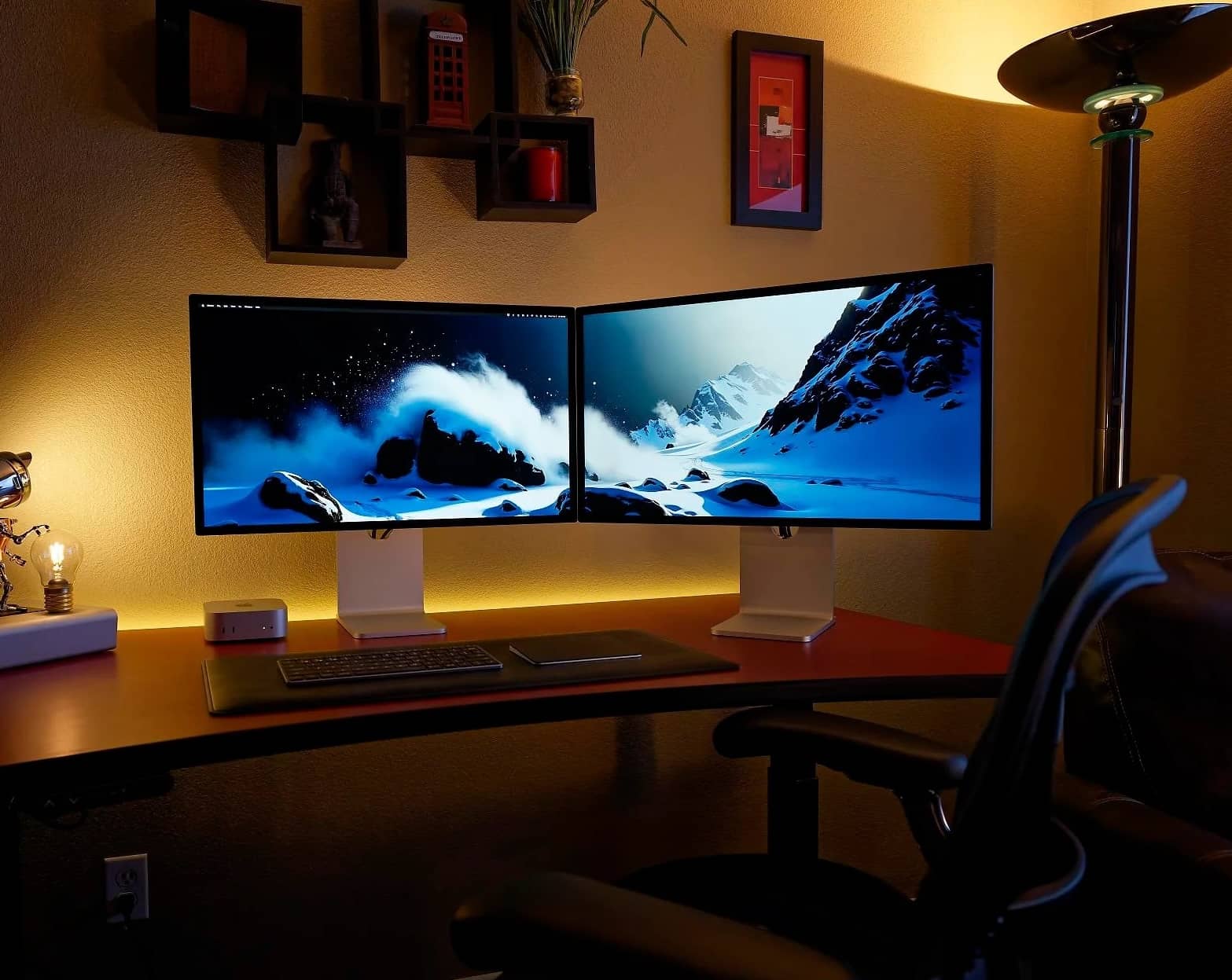
Straight to it: the new Apple Studio Display (2026) is the best monitor for most Mac Mini M4 owners — the same 5K Retina sharpness as before, now with Thunderbolt 5, a second daisy-chain port, and a far better webcam. The ASUS ProArt PA27JCV is the runner-up that delivers the same 218-pixel-per-inch 5K experience for a fraction of the money, the Dell S2725QC is the budget 4K pick, and — now that Apple has retired the Pro Display XDR — the money-no-object crown passes to the mini-LED, 120Hz Studio Display XDR. Whichever way you go, prioritize Thunderbolt or USB-C connectivity so the Mini can drive it properly over one cable.
|
Best Overall

|
Best Runner-Up

|
Best Budget

|
Best Budget 5K

|
|
$1,453.49
|
$649.00
|
$339.17
|
$699.99
|
Consumers are beyond encouraged by the state-of-the-art computers coming out of Apple’s engineering factories. Let’s face it, they lead and innovate while others are left to play catch-up. The proof of this daring statement can be found in their Mac Mini M4, a Rolls-Royce level sleek computing powerhouse dressed up in silver accents. On first sight, it’s a compact and appealing box of ports. The interior is something else altogether, with its computing power rumbling, barely restrained.
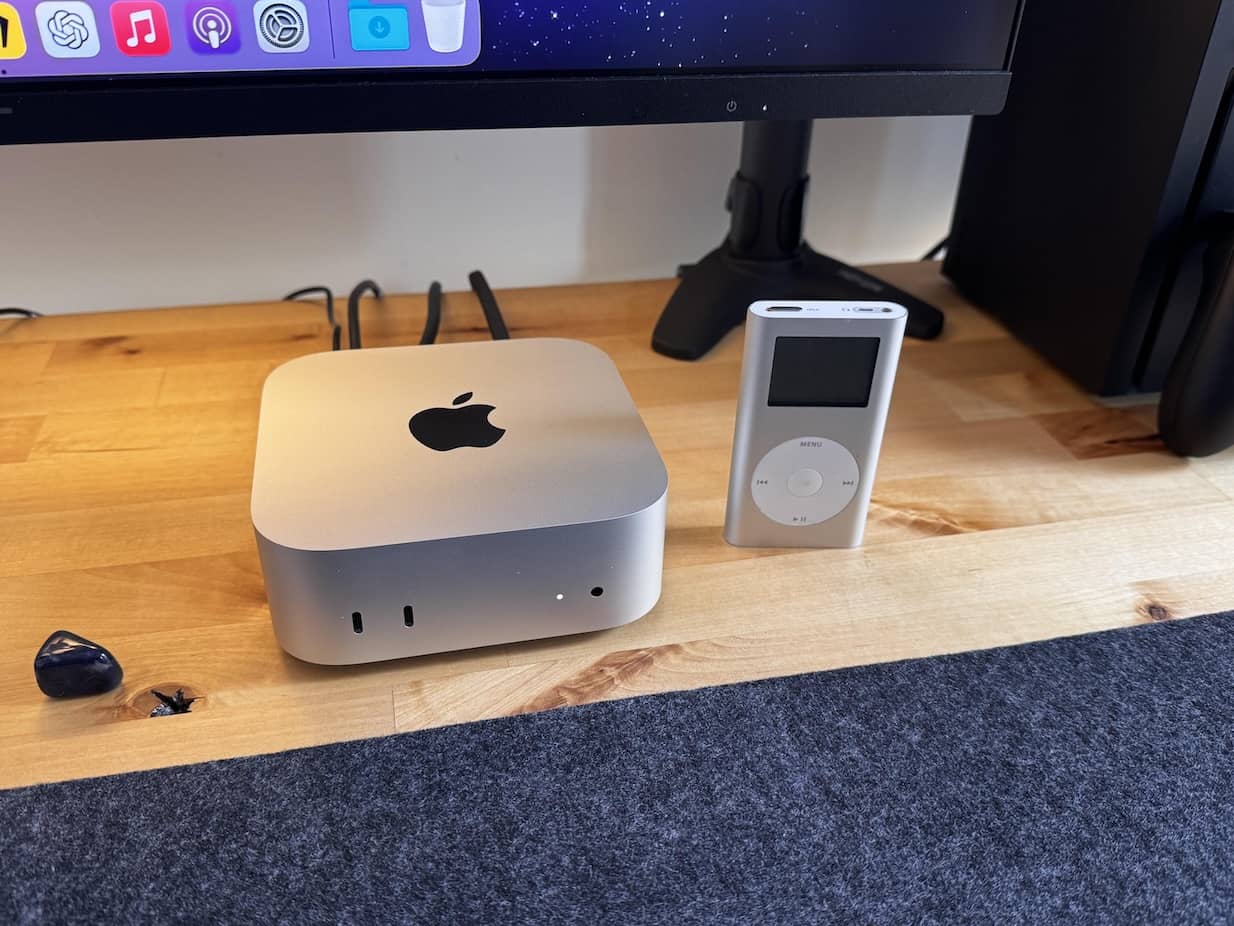
For those who only take notice of numbers, we’re talking about a five-by-five inch elegant silver brick — armed with three Thunderbolt ports and HDMI connectivity — filled with super-fast Apple silicon. As the label says, an M4 processor architecture hums with power inside, delivering a neural processing engine, lightning fast ray-tracing, and enough computing juice to run the latest processor intensive video production apps without breaking a sweat. Nearly two years after launch it’s still the current Mac Mini — Apple’s M5-generation refresh keeps slipping down the calendar — so nothing you buy today is about to be obsoleted next week.
 Apple 2024 Mac Mini Desktop Computer with M4 chip with 10 core CPU and 10 core GPU: Built for Apple Intelligence, 16GB Unified Memory, 256GB SSD Storage, Gigabit Ethernet. Works with iPhone/iPad
- Speedy M4 silicon with neural engine
- Three Thunderbolt ports plus HDMI
- Compact five-by-five-inch build
- Drives three displays, up to 6K
- No display included
One buying note on the Mini itself before we get to the screens: the industry-wide memory crunch — AI data centers hoovering up RAM and SSD supply — has hit this little box hard. Apple has quietly dropped the entry 256GB configuration, and remaining stock trades hands above its old list price, so don’t be startled by what the live box above reports on any given day.
However, and isn’t there always a ‘however,’ this is a purebred, pedigree machine without a display. To really leverage the best out of the Apple emblazoned little powerhouse, the best monitor for Mac Mini M4 computers needs plugging in. That’s our job today, to hook up the ‘best of’ hopefuls and see if they have enough eye candy to impress our MacHead enthusiasts. It’ll be tough; Mac lovers don’t accept anything less than the best.
Hold on — before we dive into the contenders, let’s take a moment to assess what it means to be in the running for a computing partnership at this level. The best monitor for Mac Mini M4 race isn’t just about looking good next to the sleek, powerful little silver box.
What to Look For in a Mac Mini M4 Display
There’s the obvious and not so obvious features. Superb color depth and image crispness roll off the tongue without any help, but what about lesser known display talents, like HDR support and picture-in-picture?
Swivel freedom, built-in anti-glare coatings, low blue light balance, the list swells. Don’t panic, we’ve got you covered. Here’s a brief look at desirable features that’ll match the Mac Mini M4 and realize its full potential:
Superb color accuracy – While regular computers find their way into gamer dens as entertainment systems, it’s more likely a Mac Mini M4 will be found in video editing suites and photography studios. A wide and accurate P3 color space is essential for that crowd — and if you only write, browse, and build spreadsheets, knowing which picks skip the wide gamut is how you save real money.
Pixel density – macOS looks its crispest at the “Retina” sweet spot of around 218 pixels per inch, which is exactly what a 27-inch 5K panel delivers. A 27-inch 4K screen at 163 pixels per inch is still sharp and perfectly usable — it’s simply a visible step down in text clarity, which is why our 5K picks headline this guide.
HDR support – Modern video editing tools work natively with High Dynamic Range footage. With 10-bit HDR10 and Dolby Vision so common now, HDR support keeps editors ahead of the curve, ensuring accurate color grading — but note that only mini-LED panels with real dimming zones (one pick below) deliver a true HDR effect.
Swivel and height adjustment – This isn’t one of the tougher features to anticipate. Even our reviewers, sometimes cramped behind their tiny desks, want monitors that can adjust to meet their eye level.
Multiple input options – Thunderbolt ports and USB-C connectivity ensure plenty of desk decluttering choice, taking the cable tangle away from your Mac Mini M4. Two other likely ports you’ll find are an HDMI connector and DisplayPort, which caters to higher resolutions and refresh rates.
Know your Mini’s display limits – Per Apple’s current spec sheet, the base M4 Mac Mini drives up to three displays: two at up to 6K resolution at 60Hz over Thunderbolt, plus a third at up to 5K over Thunderbolt or 4K over HDMI. Alternatively it’ll run two displays with one of them at 8K/60Hz or 4K at a slick 240Hz over HDMI. Step up to the M4 Pro and its Thunderbolt 5 ports will happily run three 6K displays at once. Do not skip past this information if you’re planning a multi-monitor editing bay.
A halt to proceedings comes at this point. Not that there isn’t more, like adaptive syncing and anti-glare coatings, but we feel a restless need to get on with the reviews, starting with the screen Apple built for exactly this job.
Apple Studio Display (2026) — Best Overall
Apple Studio Display: Standard Glass, Tilt-Adjustable Stand
- True 5K Retina sharpness — the 218-ppi density macOS is designed around
- Thunderbolt 5 with a second port for daisy-chaining displays and storage
- Sharply improved 12MP Center Stage webcam over the 2022 model
- Six-speaker spatial audio and studio-grade three-mic array
- 600-nit P3 panel with dependable factory color
- One-cable hookup; brightness and volume ride the Mac keyboard natively
- Still 60Hz — smooth-scrolling fans will notice next to 120Hz rivals
- No real HDR; the 5K panel itself is unchanged from 2022
- Height-adjustable stand and nano-texture glass are pricey add-ons
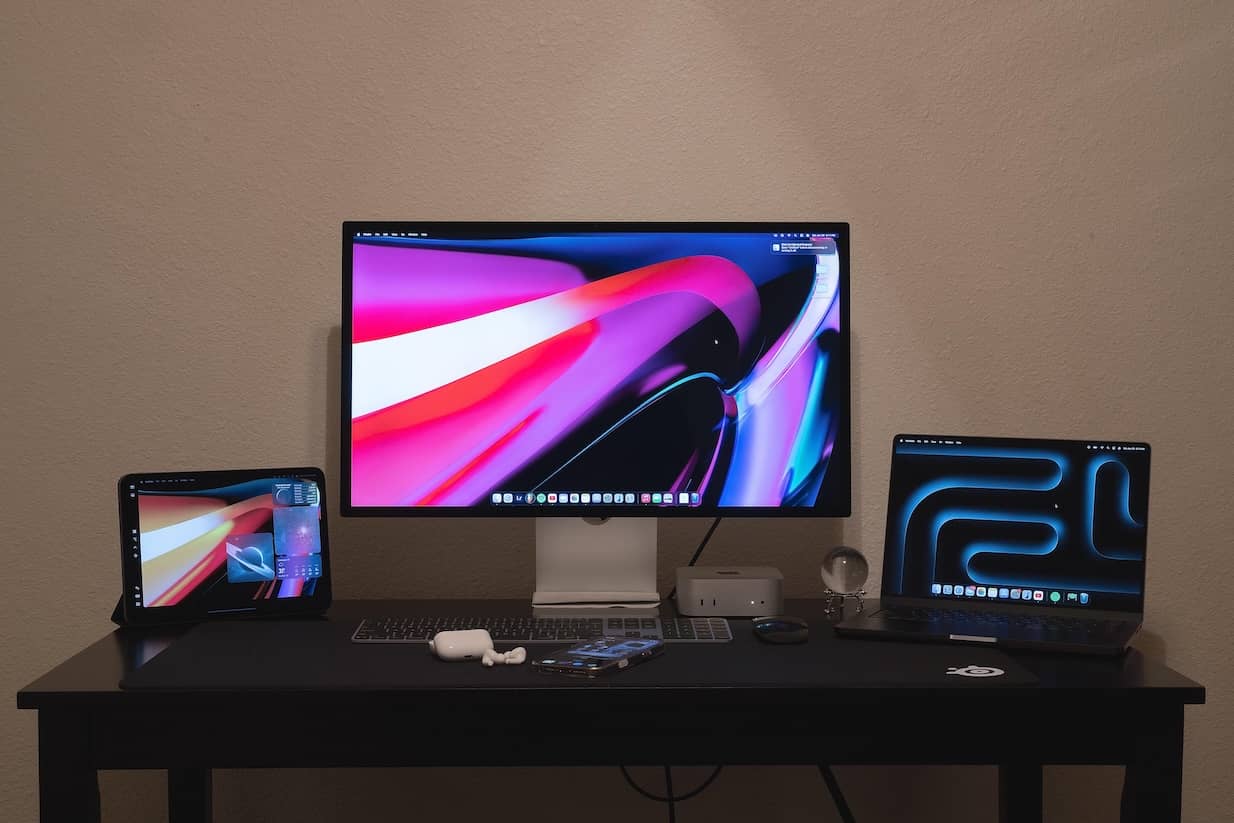
Our first choice for an enduring best monitor for Mac Mini M4 partnership is the Studio Display — specifically the refreshed model Apple shipped on March 12, 2026, which finally replaces the 2022 original. Even from across the office, it’s very easy on the eye, a slender 27 inch silver chassis with a 5K Retina display. The 5120×2880 pixel resolution massages the human retina, layering down 218 pixels per inch, with 600 nits of brightness and the full P3 wide color gamut rendering every highlight and shadow with pop and enhanced depth.
So what did four years of waiting actually buy? Three things worth having. The ports jump to Thunderbolt 5 — two of them, so the display can now daisy-chain further screens and high-speed storage instead of dead-ending your cable run. The 12MP Center Stage camera gets larger pixels and a wider aperture, and the difference on FaceTime and Zoom calls is dramatic; the 2022 model’s webcam was its most criticized part. And an A19 chip runs the show inside. What the money did not buy: the panel itself appears unchanged — same 5K resolution, same 600 nits, same 60Hz refresh. Six Colors summed the update up as modest, and we won’t argue — but the total package remains the most seamless screen a Mac Mini can plug into.
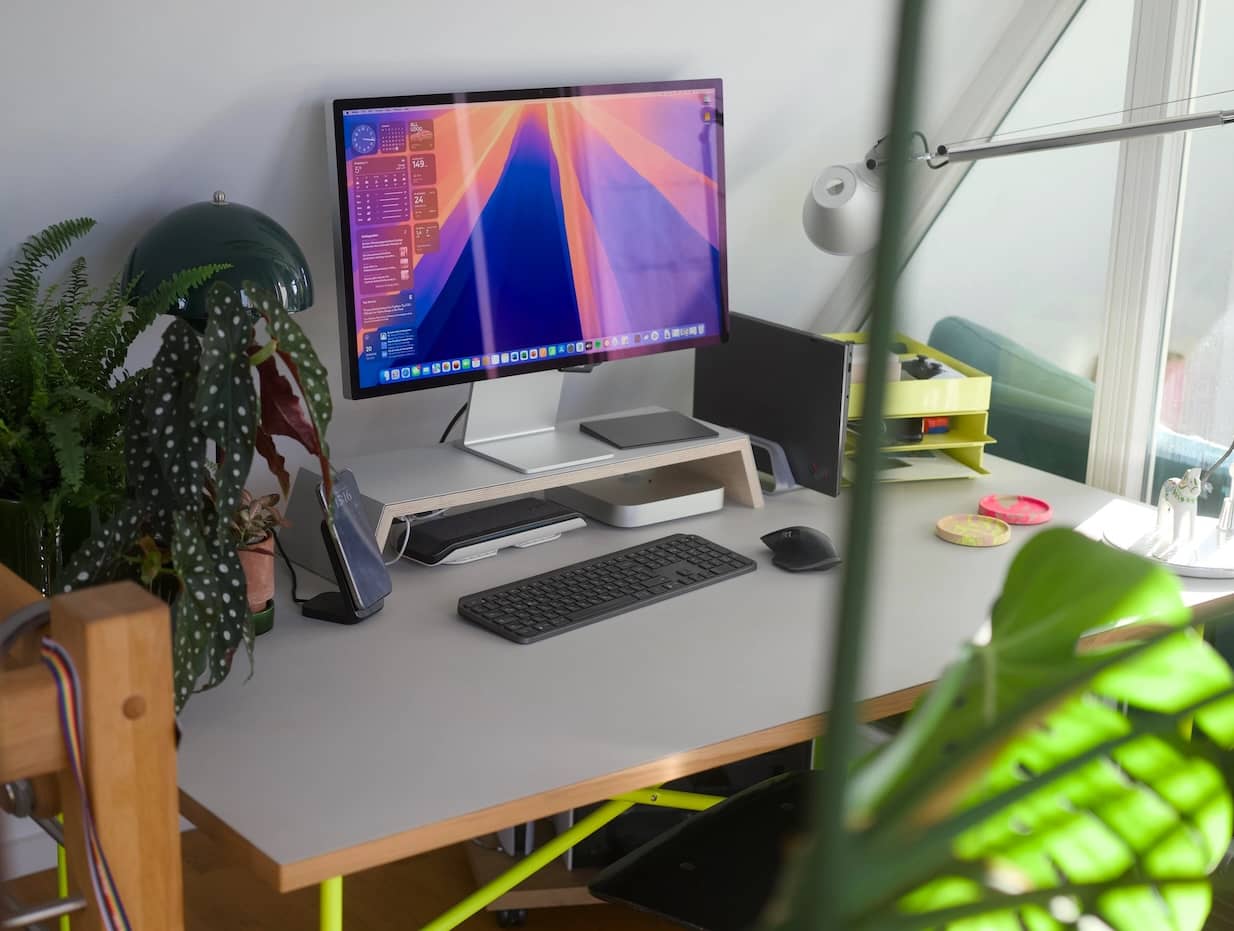
Mac Mini takeaways – The Mac Mini M4 supports Dolby Atmos, and accommodating this feature, the Studio Display comes with six-speaker spatial audio standard: four force-cancelling woofers and two tweeters that genuinely embarrass every other monitor here. There’s also a studio-quality three-mic array onboard, which can quickly and easily keep podcasters in touch with FaceTiming editors, plus two extra USB-C ports for peripherals. One cable to the Mini, and your desk is done — brightness and volume ride the Mac keyboard keys natively, no third-party app required.
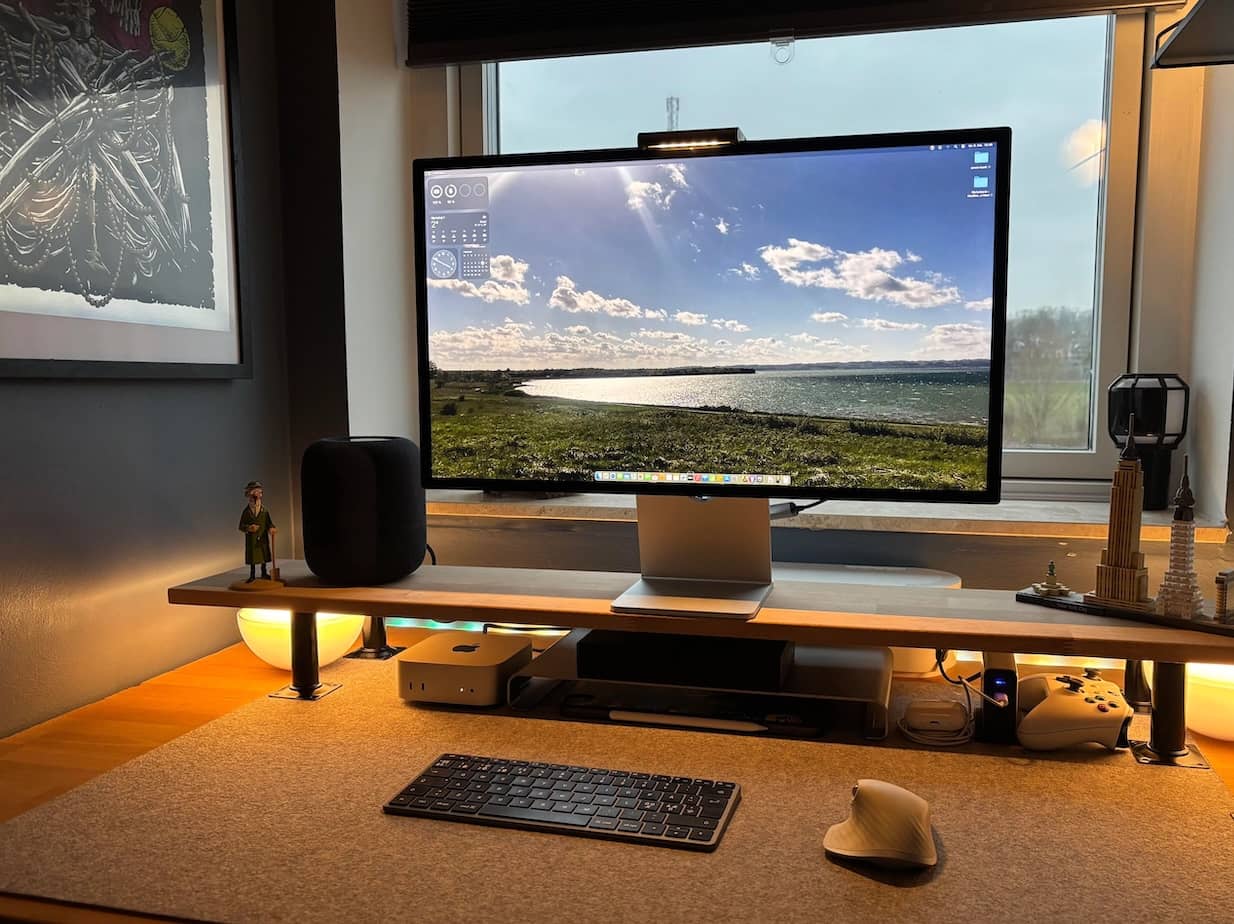
Now the gripes our team keeps collecting from owners and reviewers alike. Sixty hertz in 2026 is hard to celebrate when far cheaper screens scroll at 120Hz, and there’s still no meaningful HDR — this panel simply doesn’t have the dimming hardware for it. Apple’s stand economics also remain an acquired taste: the included stand only tilts, and the height-adjustable version is a pricey optional extra, as is the nano-texture glass for harshly lit rooms. If those trade-offs rankle, keep reading — the next pick undercuts this one heavily, and the last pick out-specs it entirely.
ASUS ProArt PA27JCV — Best Runner-Up
ASUS ProArt PA27JCV 27 Inch 5K USB-C Professional Monitor for Mac
- Same 218-ppi 5K sharpness as the Studio Display for a fraction of the price
- Calman Verified panel — measured 100% sRGB and 100% P3 coverage
- LuxPixel matte coating kills reflections without a monitor hood
- Full ergonomic stand: height, tilt, swivel, and portrait pivot
- USB-C 96W single-cable hookup plus HDMI 2.1, DisplayPort 1.4 and auto-KVM hub
- Three-year warranty
- 60Hz refresh only
- Ordinary 1500:1 IPS contrast — the HDR badge is nominal
- Token 2W speakers and no webcam or mic — budget for both
- Brightness dips toward the panel edges and input switching is slow
The first third-party screen on our list is the one that made the whole Studio Display alternative conversation serious. The ASUS ProArt PA27JCV serves the identical headline spec — 27 inches, 5120×2880, 218 pixels per inch — for roughly the price of Apple’s stand upgrades. Text renders with the same Retina crispness macOS was designed around, and the panel arrives Calman Verified with a factory report promising Delta E under 2.
Specification number one for creative types: full 100% coverage of both sRGB and the P3 color space, per the independent designer measurements our team leans on, which also clocked real-world brightness above the rated figure at over 500 nits. ASUS’s LuxPixel matte finish kills reflections so effectively that shading hoods feel redundant, and the ergonomics are complete — height, tilt, swivel, and full pivot to portrait. Connectivity is USB-C with 96 watts of power delivery (irrelevant to a Mini, handy if a MacBook ever visits your desk), plus HDMI 2.1, DisplayPort 1.4, and a useful USB hub with auto-KVM for sharing peripherals between two machines.
Mac Mini takeaways – One USB-C cable from the Mini lights up the full 5K at 60Hz, and macOS treats the panel’s scaling exactly as it does Apple’s own. What you give up against the Studio Display: the webcam, the mic array, and the six-speaker sound system are all absent — the built-in speakers here are token 2-watt units — so budget for a webcam and desktop speakers if calls and music matter. Our collected owner feedback also flags the practical stuff: contrast is ordinary IPS at around 1500:1 so the HDR badge is nominal, brightness dips measurably toward the panel edges, and input switching is slow enough to notice if you juggle sources. A three-year warranty sweetens the deal.
Dell S2725QC — Best Budget
Dell 27 Monitor S2725QC, 4K UHD IPS, 120Hz, 99% sRGB, 4ms, FreeSync Premium
- 4K at 120Hz — scrolling feels silkier than pricier 60Hz screens
- USB-C with 65W power delivery for a one-cable Mac Mini desk
- Height-adjustable stand with portrait pivot, rare at this price
- Built-in 2x5W speakers plus two HDMI 2.1 ports
- Pop-down USB hub for drives and phone charging
- 163 ppi — sharp, but visibly below Retina-class 5K text crispness
- 99% sRGB only; no wide-P3 credentials for color work
- 350 nits with box-ticking HDR10 on 1500:1 contrast
Every Mac Mini M4 guide needs a pick for the buyer who spent the budget on the computer, and Dell’s S2725QC is ours. It’s a 27-inch 4K IPS panel that does something neither Apple pick manages: a 120Hz refresh rate, so scrolling and window-flinging feel silky in a way 60Hz screens simply don’t. USB-C with 65 watts of power delivery gives the Mini its single-cable hookup, two HDMI 2.1 ports handle consoles or a second machine, and unusually for the price there’s a pair of 5-watt speakers built in.
The stand is the other pleasant surprise — full height adjustment plus pivot into portrait, where most budget 4K screens make do with tilt-only. A pop-down hub adds USB-A and USB-C for flash drives and phone charging.
Mac Mini takeaways – Be clear-eyed about what the savings skip. At 163 pixels per inch this is not a Retina-class panel; macOS text is sharp, just visibly less crisp than the 5K picks above. The gamut is 99% sRGB with no wide-P3 pretensions, brightness is a workmanlike 350 nits, and HDR10 support is the box-ticking kind on a 1500:1 contrast panel. For spreadsheets, writing, browsing, and general home-office duty, none of that will bother you — and due to the 120Hz motion, day-to-day use actually feels more modern than on the Studio Display. Colorists and photographers should climb the ladder to the 5K tier instead.
Samsung ViewFinity S8 5K (S80HF) — Best Budget 5K
Samsung 27" ViewFinity S8 (S80HF) Series High-Resolution Monitor
- The cheapest route to true 218-ppi 5K Retina sharpness
- Fully adjustable stand — height, tilt, swivel and pivot — included
- USB-C 90W single-cable hookup plus HDMI 2.1 and DisplayPort
- Built-in KVM switch and wired Ethernet passthrough
- 10-bit, billion-color IPS panel
- 99% sRGB with no wide-P3 claim — a sharpness play, not a grading panel
- 350 nits and 60Hz
- No Thunderbolt, speakers or webcam
- Brand-new listing with a thin long-term track record
Here’s the newest arrival in the 5K club, and the one that finally makes Retina-class sharpness a genuine budget purchase. Samsung’s ViewFinity S8 S80HF, launched in mid-2026, packs the same 5120×2880, 218-pixels-per-inch IPS recipe as screens costing multiples more, in a clean metal-look chassis with a fully adjustable stand — height, tilt, swivel, and pivot all included rather than upsold.
Connectivity is honest mid-range: USB-C with DisplayPort alt mode and 90 watts of power delivery for the single-cable Mac hookup, plus HDMI 2.1 and DisplayPort 1.4, a built-in KVM switch, and even wired Ethernet passthrough — a genuinely useful inclusion the pricier ASUS lacks. HDR10 is supported at the signal level, and the panel is a 10-bit, billion-color affair.
Mac Mini takeaways – The catch list is real but rational. Samsung quotes 99% sRGB and stays quiet about P3 coverage, so this is the 5K for people who want sharpness rather than color-grading credentials. Brightness is 350 nits against the Studio Display’s 600, there’s no Thunderbolt (USB-C alt mode only — fine for one screen, no daisy-chaining), no speakers, no webcam, and the refresh stays at 60Hz. The listing is also brand new, which means a thin long-term track record — early owner ratings are strong, but our team hasn’t collected multi-year reliability feedback the way we have for Dell and ASUS. As a pure text-and-sharpness play for writers, developers, and spreadsheet marathoners, nothing touches its price-per-pixel.
Dell UltraSharp U2725QE — Best Thunderbolt Hub
 Dell UltraSharp U2725QE 27-Inch 4K UHD IPS Black Monitor
- IPS Black panel with roughly double standard-IPS contrast (3000:1)
- 4K at 120Hz with DisplayHDR 600 certification
- Thunderbolt 4 hub: 140W charging, 2.5G Ethernet, KVM and daisy-chain
- Pop-out front ports absorb the whole dongle tree
- Excellent factory color accuracy in P3 mode per reviewers
- Recurring panel-uniformity criticisms — brightness sags toward the edges
- Edge-lit dimming keeps real HDR impact modest despite the badge
- Some Mac owners report the USB hub running at 2.0 speeds until a cable reseat or firmware update
- 163 ppi — sharp, but not Retina-class like the 5K picks
If your Mac Mini doubles as the hub of a busy desk — wired network, external drives, a keyboard and mouse shared with a work laptop — the UltraSharp U2725QE is the pick that tidies all of it. This is Dell’s 27-inch 4K flagship, built on the company’s IPS Black panel with roughly double the contrast of a standard IPS at 3000:1, certified DisplayHDR 600, and running at 120Hz.
The party trick is the connectivity: Thunderbolt 4 upstream with 140 watts of power delivery, a 2.5-gigabit Ethernet jack, a full USB hub with a handy pop-out front section, KVM switching between two computers, and daisy-chain output for a second display. For a Mac Mini, that means the monitor absorbs the entire dongle tree — network cable, drives, webcam — and everything arrives over one Thunderbolt lead.
Mac Mini takeaways – The IPS Black contrast genuinely shows in dark UI themes and evening editing sessions, and reviewers measured excellent P3-mode color accuracy. The honest ledger: panel uniformity criticisms crop up repeatedly, with brightness sagging toward the edges; the HDR 600 badge rides on modest edge-lit dimming so highlights pop without true zone-level control; and our team has collected multiple reports from Mac owners of the built-in USB hub enumerating at USB 2.0 speeds until a cable reseat or firmware update sorts it — an irritation worth knowing about before you build a workflow around it. Same 163-pixels-per-inch caveat as the cheaper Dell applies: sharp, not Retina.
LG UltraFine evo 6K (32U990A-S) — Best Big-Screen 6K
 LG 32U990A-S 32-Inch Ultrafine 6K (6144 x 3456) Nano IPS Black Thunderbolt 5 Professional Monitor, 60Hz, DisplayHDR 600, Speakers, HDMI 2.1, DisplayPort 2.1, USB-C, Tilt/Height/Pivot Stand, Silver
- 6144x3456 6K on 32 inches — Retina density with a third more glass than 27-inch 5K
- Thunderbolt 5 single-cable hookup with 96W charging and daisy-chain
- Nano IPS Black panel, DisplayHDR 600 and a matte anti-reflective coat
- Full height, tilt, swivel and pivot stand plus built-in speakers
- The most display-per-dollar in the premium tier
- Brightness and volume need LG's companion app — no native Mac key control
- 60Hz refresh at a premium-tier price
- HDR lands well short of mini-LED punch; matte coat trades a little vibrancy
- Early owner ratings are middling with some quality-control grumbles
Longtime readers will remember LG’s UltraFine 5K as the honorary Apple monitor of the Intel era. Its true heir has finally arrived: the UltraFine evo 6K, a 32-inch, 6144×3456 Nano IPS Black panel that brings back the plug-it-in-and-it-just-works brief — now over Thunderbolt 5, with DisplayPort 2.1 and HDMI 2.1 alongside, 96 watts of power delivery, and a downstream Thunderbolt port for daisy-chaining.
The pitch writes itself: more pixels than a Studio Display on a third more glass, with the same 218-pixels-per-inch Retina density, a matte anti-reflective coating, DisplayHDR 600 certification, built-in speakers, and a fully adjustable height, tilt, swivel, and pivot stand. For editors who live in 4K timelines, the extra real estate fits the footage plus panels without scaling tricks — the same argument the old 6K Pro Display XDR made at several times the outlay.
Mac Mini takeaways – The base M4 Mini drives it at its full 6K over Thunderbolt, and MacRumors’ review praised exactly the single-cable seamlessness LG was chasing. The flip side of the ledger, from the same review and early owners: brightness and volume need LG’s companion app rather than the native Mac keys the old UltraFine handled natively; it’s a 60Hz panel, which stings at this tier; HDR lands well short of mini-LED punch; and the matte coat trades a little vibrancy for its glare control. Early Amazon ratings are also middling with some quality-control grumbles in the mix, so buy from a seller with painless returns. It remains the most display-per-dollar of any high-end pick here.
Apple Studio Display XDR — Best Money-No-Object
 Apple Studio Display XDR: Standard Glass, Tilt- and Height-Adjustable Stand
- Mini-LED with 2304 dimming zones — up to 1000-nit SDR and 2000-nit HDR peaks
- 120Hz Adaptive Sync, driven at full speed by M4-generation Macs
- P3 plus Adobe RGB gamuts for screen-to-print precision
- Thunderbolt 5 with 140W upstream charging and daisy-chain
- Same 12MP Center Stage camera, six speakers and three-mic array as the standard model
- Serious-tool pricing before you add nano-texture glass or stand options
- 27 inches — the retired Pro Display XDR gave you 32
- M1 through M3 Macs cap the refresh at 60Hz
- Overkill if your workflow never touches HDR
If you’re chasing absolute pixel perfection, the throne has a new occupant. With the Pro Display XDR now formally retired, Apple’s flagship monitor is the Studio Display XDR — a 27-inch 5K Retina panel backed by mini-LED with 2304 local dimming zones, sustaining up to 1000 nits in everyday SDR work and peaking at 2000 nits for HDR grading, with both P3 and Adobe RGB color spaces on tap. It is, by a comfortable margin, the most capable display Apple has ever aimed at a desk.
This is also the only Apple display that moves: a 120Hz refresh rate with Adaptive Sync makes it the first Apple monitor where scrolling matches a modern MacBook Pro. The camera, speakers, and mic array match the standard Studio Display, and the same two-Thunderbolt-5-plus-two-USB-C port cluster returns, here with 140 watts of upstream charging.
Mac Mini takeaway – A compatibility note straight from Apple’s spec sheet: M4-generation Macs — your Mac Mini M4 included — drive the XDR at its full 120Hz, while older M1 through M3 machines cap out at 60Hz. So this panel and this little computer are, conveniently, a matched set. The reasons to hesitate are familiar Apple ones: the price sits in serious-tool territory before you’ve added nano-texture glass, it’s 27 inches rather than the old XDR’s 32, and if your work never touches HDR you’d be paying flagship money for headroom you won’t use — the standard Studio Display or the LG above serve SDR workflows for far less. For the colorists and finishing editors this screen actually targets, there’s currently nothing else in the Mac ecosystem like it.
What Happened to Our Old Picks
Regulars will notice this list turned over almost completely in 2026, and it wasn’t restlessness on our part — the market moved. The BenQ PD3220U that long held our smart-buy slot is now marked unavailable on Amazon; BenQ’s Mac-focused torch has passed to its MA-series screens, including a 5K MA270S with dual Thunderbolt 4. The LG UltraFine 5K 27MD5KL-B was discontinued years ago, and the last leftover units float at collector pricing several times the original sticker — pay it no mind, the UltraFine evo 6K above is the real successor. The Apple Pro Display XDR has been discontinued in favor of the Studio Display XDR. The Dell U3223QE aged out to third-party sellers asking more than launch price, with the U2725QE the cheaper, better replacement. And the Samsung ViewFinity S9 5K sits unavailable, its value argument inherited by the ViewFinity S8 above. The 2022 Studio Display, finally, survives only as renewed and open-box stock — worth a look for a discount, but the 2026 refresh is the one to buy new.
Our Top Picks for Every Need
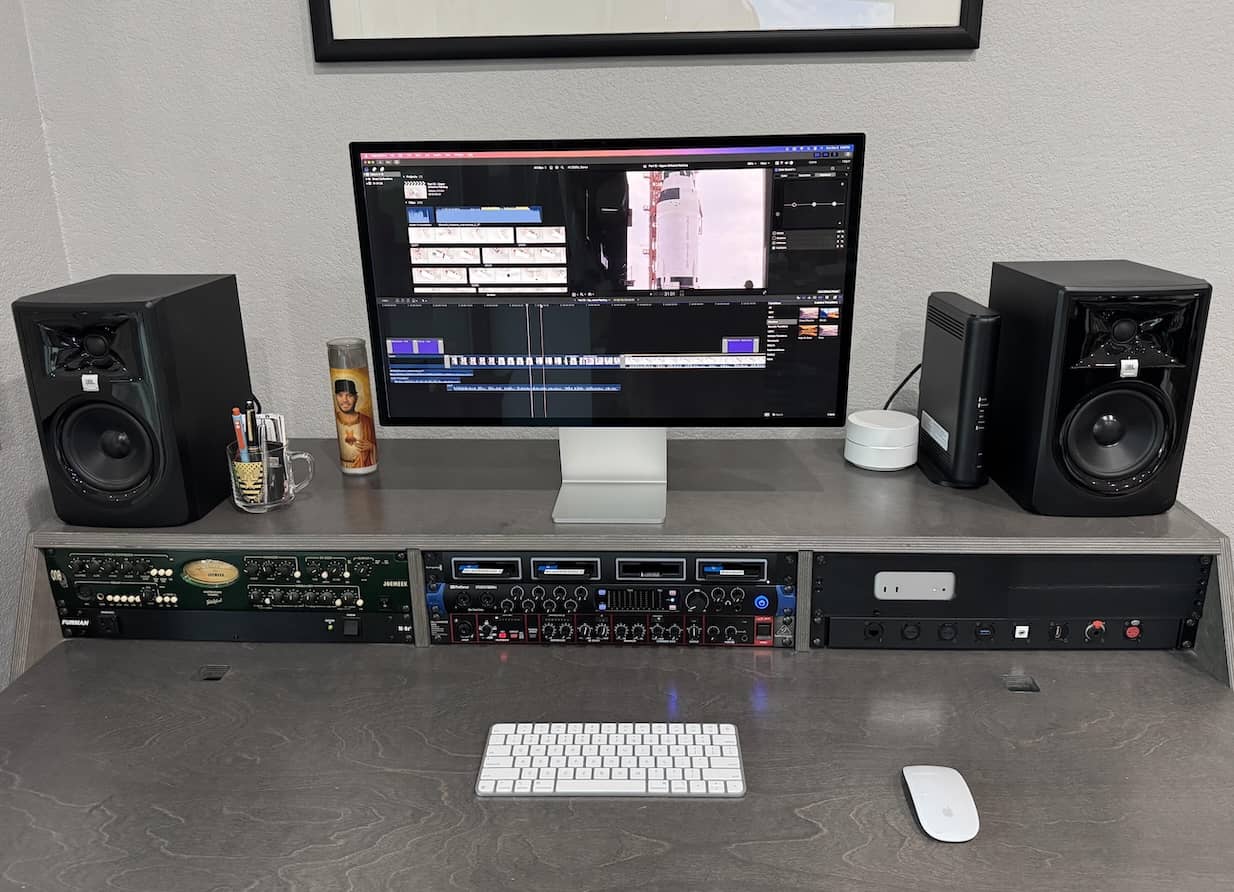
Would that we could recommend the Studio Display XDR to every one of you — its mini-LED image and 120Hz motion do a Mac Mini M4 justice in a way no other screen here can match. We unreservedly believe it’s the high-fidelity screen to beat, but its price is bound to alienate many. That’s why the standard Studio Display (2026) takes Best Overall for the complete package, the ASUS PA27JCV shadows it at a fraction of the cost, and the Samsung S8 and Dell S2725QC keep the entry tickets honest. The LG evo 6K, meanwhile, quietly offers the most screen for the money in the whole premium tier.
What you should prioritize is Mac ecosystem compatibility. Thunderbolt and USB-C connections are essential so huge 4K and 6K video files, charging, and peripherals can ride one cable. Remember the Mini’s own limits from earlier — three displays maximum on the base M4, with the 8K-or-4K/240Hz option only in a two-display setup — and plan your editing bay accordingly. And once the screen arrives, give its placement the same care you gave the purchase: our guide to Mounting Your Monitor: How to Choose the Perfect Monitor Mount (2026) covers arms and VESA mounts that pair beautifully with every pick above.
Remember, it’d be a crime to go for anything less than the best. Your new Mac Mini M4 is capable of so much, can throw around millions of pixels without ever losing track of a single color space, so don’t pair it with a monitor that isn’t equally color authentic.
Last updated: August 10, 2026 — full 2026 re-test: five of our six previous picks left the market (PD3220U, LG UltraFine 5K, Pro Display XDR, U3223QE, ViewFinity S9), so the lineup now leads with the new Studio Display (2026) and Studio Display XDR, adds the ASUS PA27JCV, Samsung ViewFinity S8 5K, Dell S2725QC and U2725QE, and the LG UltraFine evo 6K, with a comparison table and live pricing on every pick.